
Every auction has to start somewhere! Before you can enter inventory, register bidders, or begin selling, you first need to tell AuctionRPM about the auction you’re going to hold. This tutorial shows you how to take that important first step by setting up a new auction.

Pre-lotted auctions open the door to even more of AuctionRPM’s capabilities. This tutorial introduces Inventory Management and shows how AuctionRPM helps you organize and manage the items that will be sold in an upcoming pre-lotted auction.
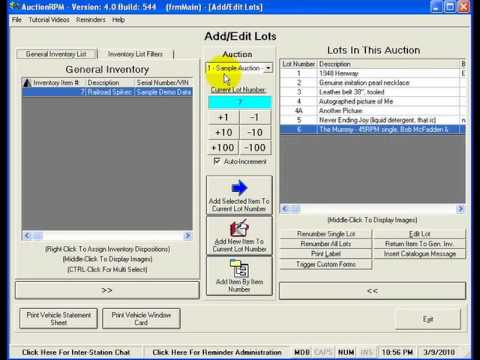
Have inventory already waiting in your warehouse—or are you cataloging an auction from scratch? This tutorial shows how to add lots to a pre-lotted auction in AuctionRPM, whether you’re assigning existing inventory to an auction or entering items specifically for an upcoming sale.

A picture really can be worth a thousand words—especially when you’re selling inventory. AuctionRPM gives you several ways to assign photos to the lots in a pre-lotted auction, allowing those images to be used throughout the system, from catalogs and web pages to the Audience Lot View presentation screen.

Absentee and phone bids can add valuable opportunities to your auction—but only if they’re managed properly. This tutorial shows how AuctionRPM helps you track left bids and phone bids so you can confidently serve bidders who can’t participate in person.
